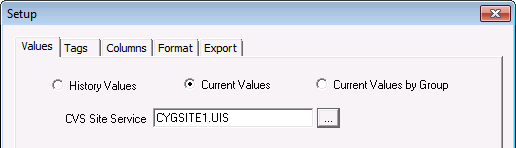
The Current Values report retrieves a single value for each specified point. The value can be the point’s current value or a historical value.
To retrieve a value from the VHS, you must specify the data timestamp using the Time column on the Tags page. For historical data, the system will return the value closest to without exceeding the specified timestamp.
To Set Up a Current Value Service Report
Note: Optionally, to retrieve a historical value instead of a current value, double-click the Time cell for the item and enter the timestamp in the Value at Time field. The value closest to without exceeding the timestamp will be returned.
|
|
|

